From Pixels to CAD: Absolutely Everything You Ever Wanted to Know about Converting Between JPG, PDF, DWG, DXF & SVG
- thefelttipfaerie

- Oct 27, 2025
- 8 min read
Updated: Nov 20, 2025
Have you ever wondered about the difference between raster (pixel-based) and vector (maths-based) digital art and how to convert from one to another? Maybe you have a PDF that you need converting to a DWG/DXF format, a blurry/pixelated logo that you want to make sharp for printing, or you’re looking to convert a raster image to Illustrator, SVG, AI, EPS, but are struggling to know what, why or how? Then keep reading for my ultimate guide on how to convert between JPG, PDF, DWG, DXF, SVG and more.
TL;DR
There are two main forms of digital images:
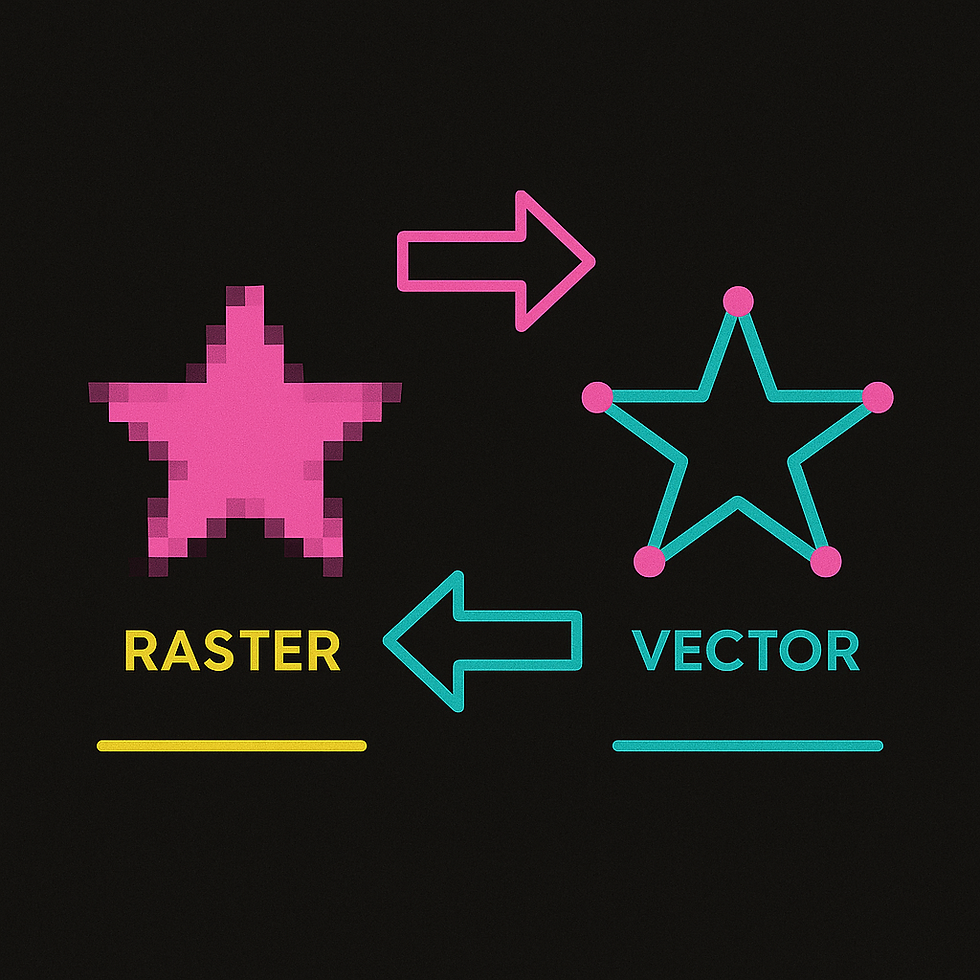
Raster images are pixel-based and have a maximum size before they start to look “fuzzy”.
Vector images are mathematical and can be scaled to any size without loss of quality.
Converting from raster can be tricky. Get in touch if you need help turning your raster images into vector files like DWG, DXF, SVG or PDF.

What is a Raster (Pixel-Based) Image?
A raster image is the kind that you take with a phone or a camera. It’s basically made from lots of differently coloured dots that, when you zoom out, combine to make an image. Its maximum size is limited by the number of pixels. More pixels means a higher resolution; the higher the resolution, the larger the image can be scaled before it starts to look “fuzzy”.
What is a Pixel (in Digital Images)?
A pixel is simply a square of colour. If you zoom out enough, the pixels blur together to trick your brain into seeing an image. Think about the old 64-bit graphics, like Mario or Pacman, and you’ll get the idea.
What Image Size (Pixels/DPI) Do I Need for Printing?
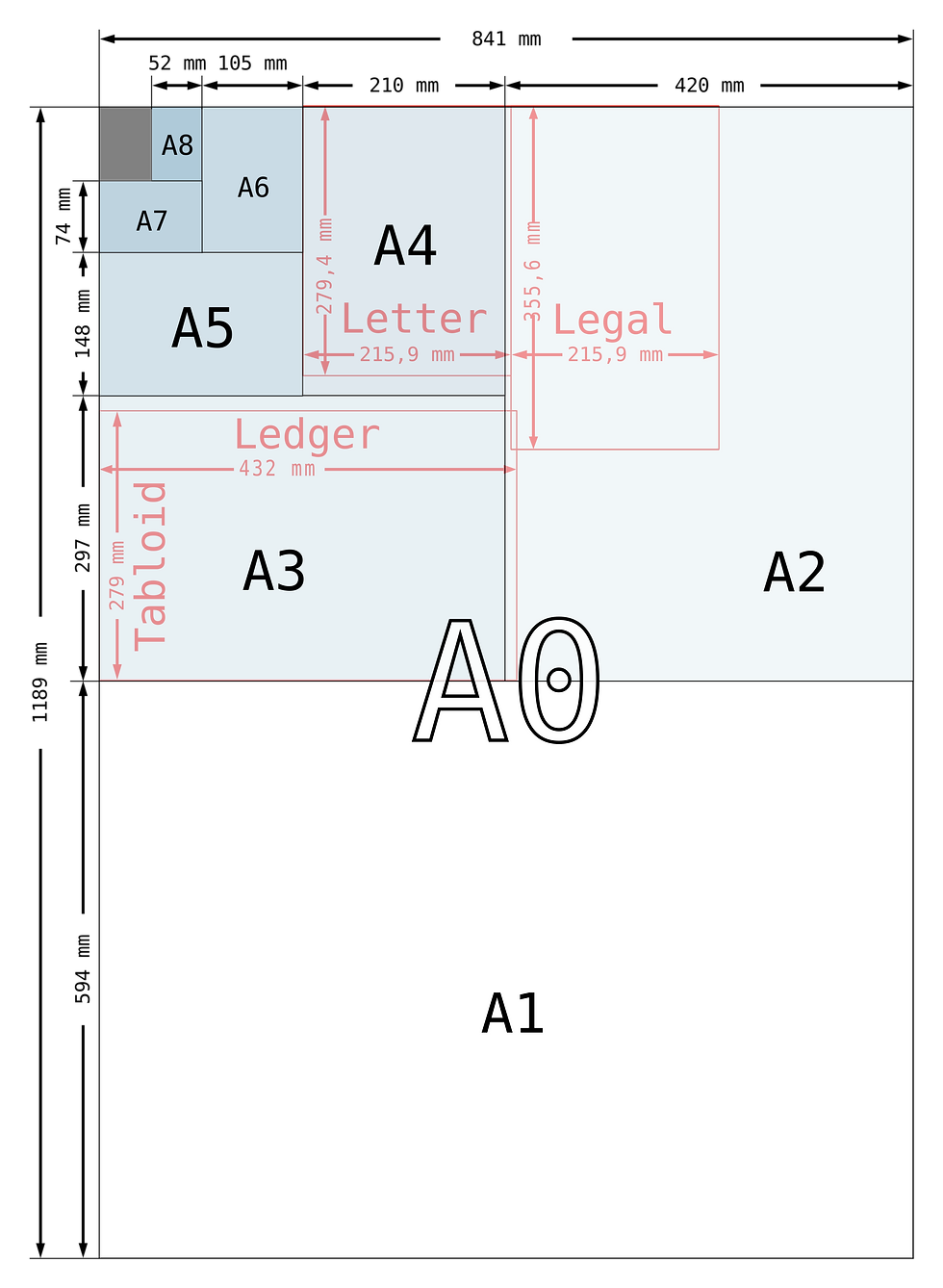
When you print an image, the computer sets the print quality in DPI (dots per inch). A typical printer prints at 300 DPI, higher-quality ones at 600 DPI, and some very high-quality printers go up to 1200 DPI. Digital formats, however, need only 150 DPI. This means that you can generally get away with lower-resolution images for a website than a printed leaflet.
To determine the maximum size you need for a project, take the size of the print area and multiply this by the resolution you need. That’s your pixel count. So, if the page is 4 inches wide and 2 inches tall and you’re printing at 300 DPI, you’ll need an image that is at least 1200 pixels by 600 pixels.
Length (inches) × resolution (DPI) = total pixels (px)
In the example:
4 inches × 300 DPI = 1200 px2 inches × 300 DPI = 600 px
In metric:
(10 ÷ 2.54) × 300 DPI = 1200 px (approx) (5 ÷ 2.54) × 300 DPI = 600 px (approx)

What is a Vector Graphic: SVG, AI, PDF, DWG, DXF?
Unlike raster images, a vector image is mathematical. There are no dots. That means it can be scaled to any size, even the size of the solar system, and it will still retain the same quality.
Pick a logo, any logo, and you’ll find that it's almost certainly a vector file, because vector graphics allow companies to use logos at any size and even transfer them into CAD applications, CNC machines, sewing machines and more.

Why Can Vector Graphics (SVG, DWG, DXF) Scale Perfectly?
A vector image is stored as a set of mathematical calculations, called “vectors”. Vectors are a series of points. The vector files tells the computer where each point is, relative to the others points in the file and how the points are connected together.
For example, take a typical ratio of an HD screen: 16:9. This ratio means that, for every 16px across, the screen will be 9px high. If my TV is 1600px wide, it will be 900px high; if it’s 16,000px wide, it will be 9,000px high and so on. The shape will never change, regardless of how large the image is.
How to Convert Raster Images (JPG, PNG, PDF) to Vector (DWG, DXF, SVG)
There are many tools online that offer to convert raster to vector, instantly. but automatic raster to vector tools give low-quality results.
At this stage, it’s necessary to get a human to step in. Either trace the images yourself, or enlist the help of a skilled professional like myself. I offer a raster-to-vector conversion service, including JPG/PNG to DWG/DXF and PDF to CAD. Contact me for a free quote.
Why Automatic Raster-to-Vector Conversion Often Fails
At the moment, computers struggle to understand the idea of lines and edges. As any art student will know, objects don’t have a large, black cartoonish line around them. They simply don’t see and process visuals like the human eye and brain. Whilst machine learning is moving at a rapid pace, at this time, it’s normally necessary for a human to help at some point in the process of converting a raster image into a vector graphic.
Converting raster images into full vector graphics is one of my specialities. If you’re looking for this service, feel free to get in touch.
How Do I Convert Vector Files (SVG, DWG, AI) to Raster (JPG, PNG)?
Good news! Converting a vector graphic to a raster image is normally very straightforward and something anyone can do. My favourite, free, vector converters are:
freeconvert.com - convert between multiple formats, including AI to JPG, and TIFF to PNG.
svgtopng.com - SVG to PNG (among others)
ezgif.com/maker - MP4 to GIF
How Do I Convert Vector Files (SVG, DWG EPS, AI) to PDF?
Sometimes this is a straightforward process and you can simply open the image and export it to another file type.
Open your vector file (e.g. SVG or DWG), in a compatible software package (e.g. Adobe Illustrator or AutoCAD).
Scale the image to the size you need.
Press ‘Print’.
Or use a free DWG to PDF converter.
However, before you start, it’s important to understand what data you need in your PDF. Sometimes, during DWG to PDF conversion, data and information can be lost and images can become vectorised. If you need help with this, I am happy to offer free advice.

Common Raster File Formats (JPG, PNG, TIFF and More)
Raster images can be broken down into three main types:
Uncompressed Raster Images
Every bit of image data is stored exactly as it is, with no compression.
✅ Pros: high quality and fast to load
❌ Cons: large file size
Lossless Compression Raster Images
The image is compressed to reduce file size without losing any data, similar to a zip-file. When you open the image, it is restored exactly to its original state.
✅ Pros: high quality and smaller file size
❌ Cons: can be slower to load
Lossy Compression Raster Images
Some image data is permanently removed to reduce file size. The image still looks good to the human eye, but fine details and subtle colour information are lost.
✅ Pros: fast to load and smaller file size
❌ Cons: lower quality

BMP (Bitmap)
Mostly used in Windows systems, rarely on the web.
✅ Uncompressed raster format.
❌ Large file size.
PNG (Portable Network Graphics)
Commonly used for web graphics, icons, and images needing sharp edges.
⚠️ Compressed (lossless) raster format.
✅ Supports transparency.
✅ Can store limited text and copyright metadata.
GIF (Graphics Interchange Format)
⚠️ Compressed (lossless for up to 256 colours).
✅ Supports simple animations and transparency.
❌ Limited colour range (8-bit).
RAW (.CR2, .NEF, .ARW)
Used by photographers for post-editing.
✅ Minimally processed image data directly from a digital camera sensor.
⚠️ Some variants support lossy compression.
✅ Can store full camera and location metadata.
✅ Very high quality.
❌ Large file size.
JPEG / JPG (Joint Photographic Experts Group)
Best for photographs and complex images.
⚠️ Compressed (lossy) raster format.
⚠️ Small file size, but quality reduces with repeated editing.
✅ Can store full camera and location metadata.
HEIF / HEIC (High Efficiency Image Format)
Used in Apple devices, newer than JPG.
⚠️ Compressed format (typically lossy, but can be lossless).
✅ Can store full camera and location metadata.
✅ Smaller file sizes with better quality.
TIFF / TIF (Tagged Image File Format)
Used in printing, publishing, and professional photography.
⚠️ Can be lossy or lossless.
✅ Can contain LZW (lossless), ZIP (lossless), or JPEG (lossy) images.
✅ High quality
✅ Can store full camera and location metadata.
❌ Large file size
WEBP
Developed by Google, widely used on the web.
⚠️ Can be lossy or lossless.
✅ Supports transparency**,** and editing.
✅ Smaller file sizes than JPEG or PNG.
✅ Can store full camera and location metadata.
PSD (Photoshop Document)
Native Adobe Photoshop format.
⚠️ Editable/Proprietary working format, not universally supported outside Adobe software.
✅ Supports layers, transparency, and editing.
❌ Large file size.
What are the File Formats for Vector Graphics?

SVG (Scalable Vector Graphics)
Widely used for web graphics, icons, and UI elements (XML-based).
✅ Generally universally supported,
✅ Lightweight.
✅ Text-based and easily editable.
✅ Open standard (not tied to a specific company/software package).
❌ Can store limited text and copyright metadata.
AI (Adobe Illustrator)
Native Adobe Illustrator format, "go-to standard" for graphic designers.
✅ Supports layers, typography, and complex vector illustrations.
✅ Can store limited text and copyright metadata.
❌ Limited support outside Adobe software.
DWG / DXF
Created by Autodesk AutoCAD. Widely used in engineering, architecture, and CNC machines. Reverse engineered by the ODA.
⚠️ DWG may suffer compatibility issues when opened or created in non-AutoCAD products.
✅ DXF is an open standard (not tied to a specific company/software package).
CDR (CorelDRAW)
Popular in print and sign-making industries, Native CorelDRAW format.
❌ Not generally supported outside of Alludo products.
WMF / EMF (Windows Metafile / Enhanced Metafile)
Used by Microsoft Office applications.
❌ Legacy formats (not used commonly today).
Raster & Vector Graphics Formats: PDF, EPS
Some graphical formats support both raster and vector images:
PDF (Portable Document Format)
Used for a diverse range of needs, from print to construction.
✅ Can contain text, vector, raster, and even 3D elements.
✅ Universally supported.
✅ Can store limited text and copyright metadata.
EPS (Encapsulated PostScript)
Used across CAD, graphic design, and print.
⚠️ Increasingly replaced by PDF and SVG formats.
✅ Can contain both vector and raster elements.
✅ Good for logos and print materials.
✅ Can store limited text and copyright metadata.

Raster and Vector Conversion FAQ
Can I convert a PDF into a DWG or DXF file?
This depends on how the PDF was created. Some PDFs are created with vector information and some have been converted to a raster (pixel image). Even when the vector data is retained, layers or blocks may have been lost.
I am happy to offer assistance with converting PDF files into vectors, such as SVG, DWG, DXF for CAD, CNC, laser cutting or similar use cases.
Can I turn a JPG or PNG logo into a vector?
Yes. Although JPG and PNG logos are raster formats, they can be vectorised into SVG, AI, EPS, PDF or even DWG/DXF formats for print, embroidery, signage, and CNC use.
What is the best format for CNC or laser cutting?
Most CNC, laser, and plasma machines prefer DXF files, as they contain precise vector paths. Formats like SVG or AI can be converted into DWG/DXF for production.
Why does my logo look blurry when I print it?
Logos saved as JPGs or PNGs are raster images, meaning they have a fixed resolution. When enlarged, they become pixelated. Creating a vector file solves this.
What’s the difference between SVG, AI, PDF, DWG, and DXF?
SVG/AI: popular with designers, used for logos and web graphics.
PDF/EPS: widely used in printing and publishing.
DWG/DXF: engineering and manufacturing formats for CAD and CNC.
Do I need a vector file for printing my logo on signs, shirts, or packaging?
Yes. Printers, embroiderers, and sign makers usually request a vector file (often PDF, AI, EPS, or SVG). This ensures sharp, scalable output at any size.
Can I vectorise an image automatically with software?
Auto-tracing tools exist, but results are unpredictable, inaccurate, and often unusable for professional printing or CNC cutting.
I can provide manual vectorisation as a skilled designer to give you clean, accurate files.
How much does raster-to-vector conversion cost?
Costs vary depending on complexity (simple logos vs detailed layout drawings). I’m happy to offer a free quote and advice.


Comments